AI Trading Agent for crypto
Type a trade idea.
Snaap watches the chart.
Describe your idea in your own words. AI turns it into conditions on a live chart, then alerts you on LINE, Telegram or Discord the moment price meets them.
Sign in with Google · Snaap never places orders for you
Example: you type an idea, AI sets conditions on the chart, then Snaap sends a signal when price meets them
How it works
3 steps from idea to signal
-
01
Type an idea or attach a chart
Say it the way you think it, like “Alert me when BTC breaks above resistance” or attach a chart for AI to read
-
02
AI sets conditions on a live chart
See the conditions against real candles from your exchange, adjust them yourself, and play back history to see where signals fired before.
-
03
Turn on monitoring and get signals
Snaap checks every time a candle closes and sends alerts to LINE, Telegram or Discord
Real screens from Snaap
Every condition, checked on the chart
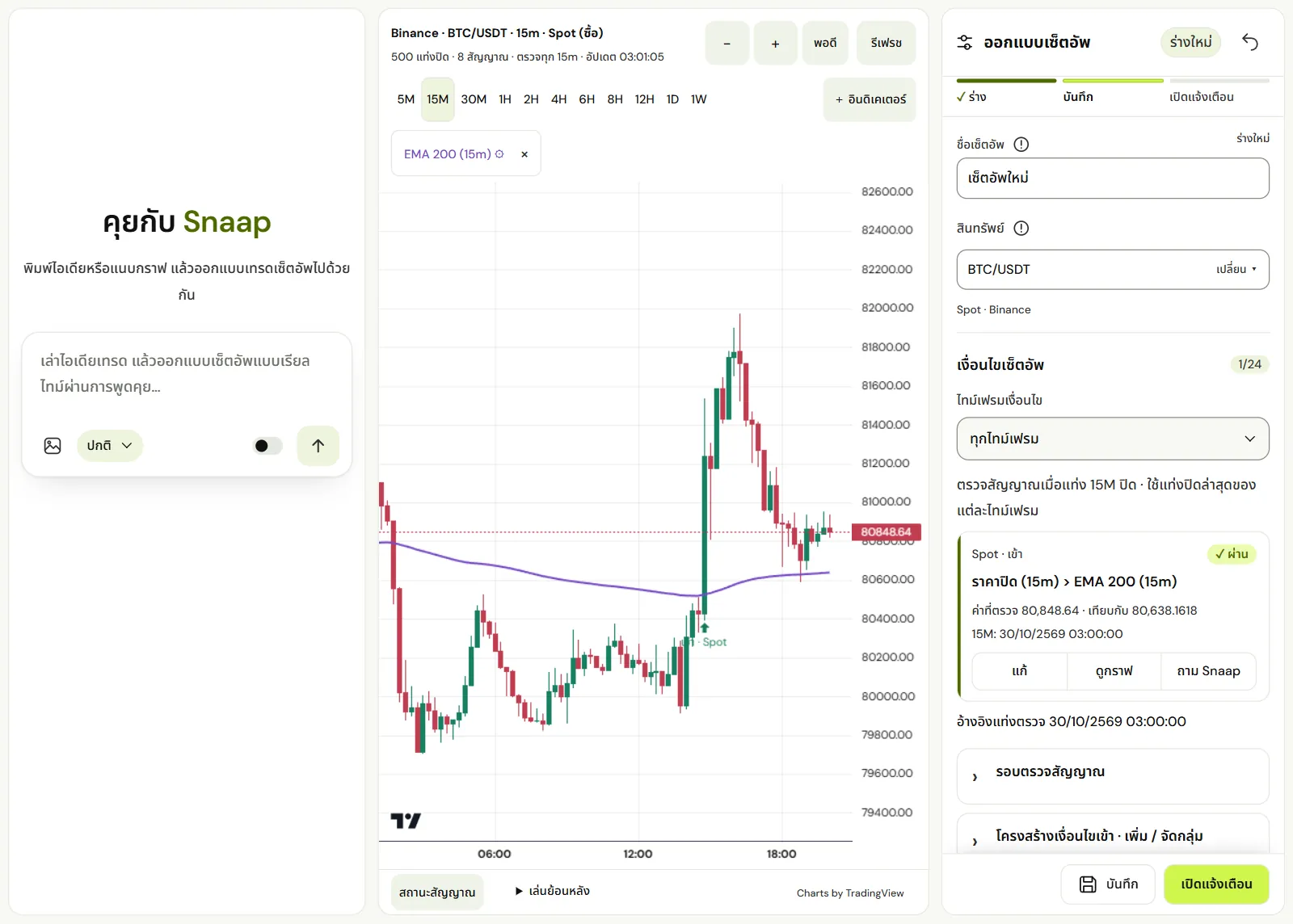
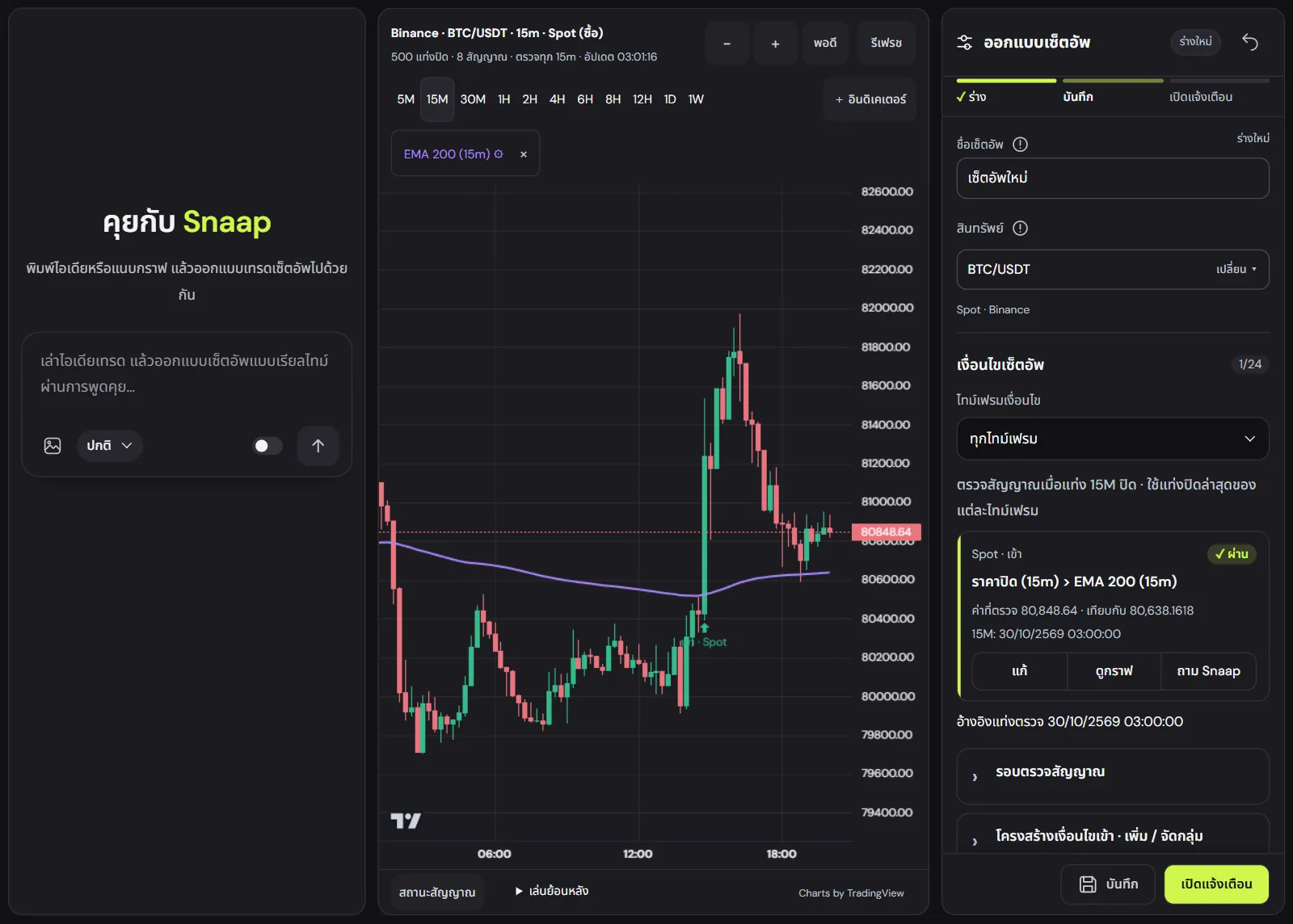
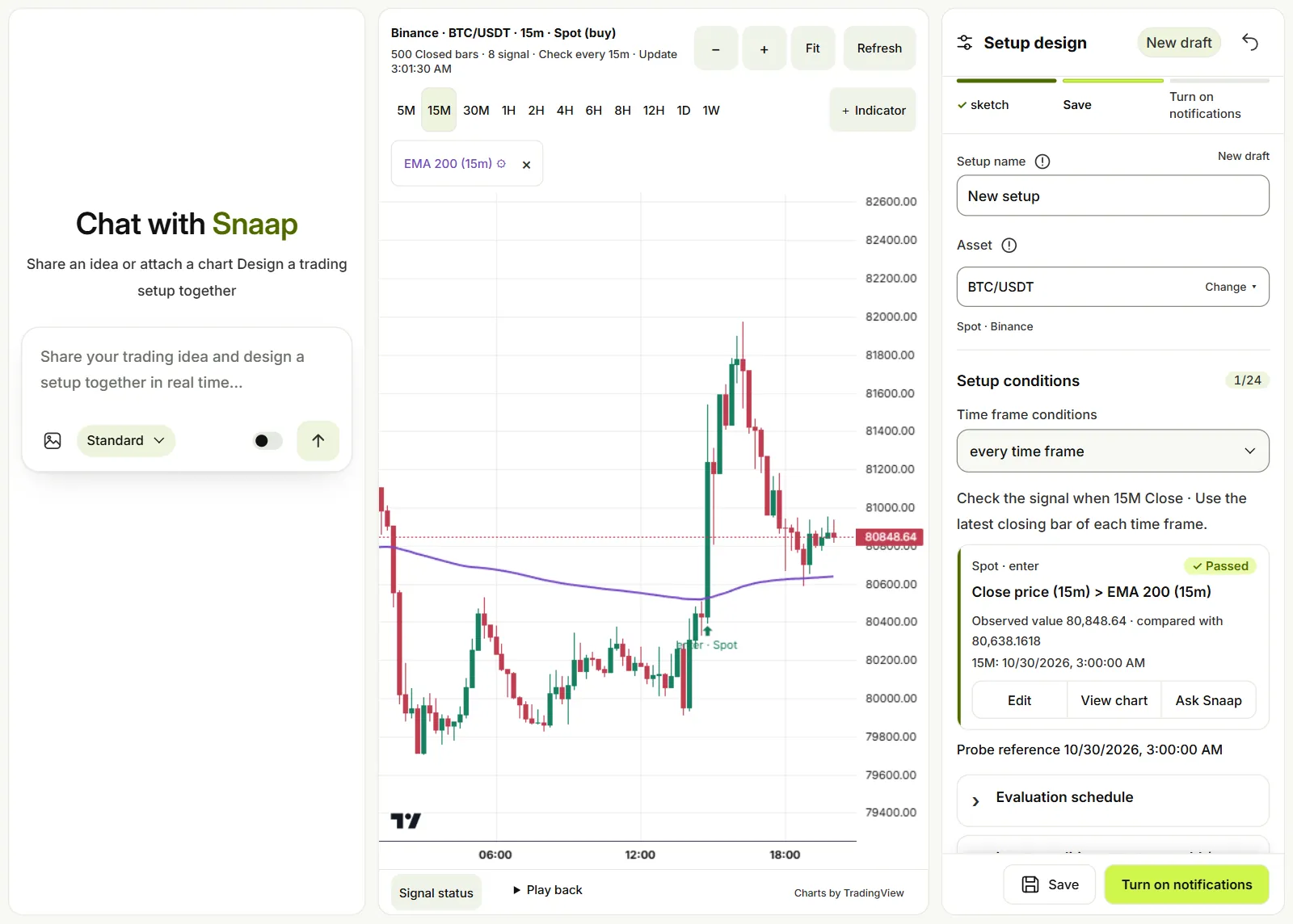
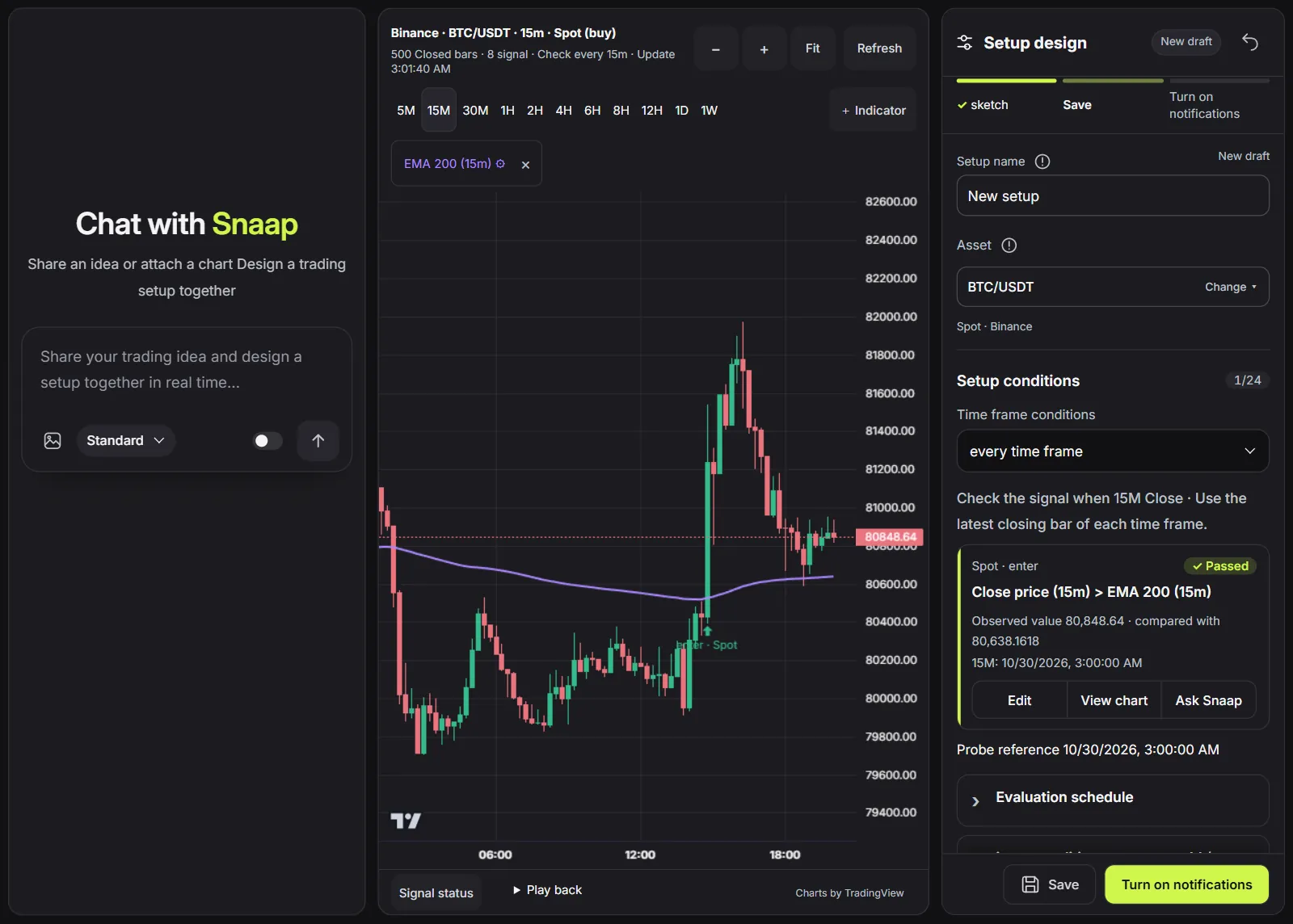
Chat with AI on the left, the exchange chart in the middle, and conditions you can check one by one on the right.
Real exchange charts
Candles and prices from the exchange you choose, across time frames.
Add indicators
Build conditions on lines like EMA and see the result on the chart right away.
Replay
See where a setup would have signalled before you turn on monitoring.
Alert channels and exchanges
Alerts in apps you already use
 LINE
 Telegram
 Discord
Market data from the exchange you choose
- Binance
- Bybit
- OKX
- Bitget
- MEXC
You always make the call
Snaap only sends alerts and never places orders for you. Exchange keys and alert-channel secrets are encrypted before they are stored.
FAQ
Snaap — how does it help you trade?
Snaap is AI Trading Agent that turns ideas into crypto trading setups. Chat with AI to define conditions, then let the system monitor charts and send alerts. It does not place trades for you
What price and signal alerts can I create?
Start with an idea, such as BTC breaks above resistance or pulls back in an uptrend, then ask AI to design setup conditions, such as price vs. EMA and candle closes. Review your conditions before enabling chart monitoring
Can I choose my exchange and alert channels?
Choose market data from Binance, Bybit, OKX, Bitget or MEXC and connect alert channels on Discord, Telegram or LINE as needed. Snaap is independent of these providers
How do I start using AI to design trading setups?
Open Snaap sign in, then type your idea or attach a chart to chat with AI Review the setup and choose your market and alert channels before enabling monitoring
Never miss
a key moment
Start with your first idea today. Sign in with Google and use it free.
Start free